
Calendar & scheduling components
DayPilot for Angular
Components
Calendar and scheduling views
Calendars, timelines and project planning. Expand a view for features, demos and tutorials.
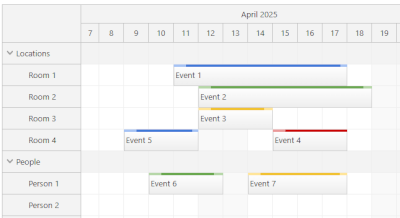 Scheduler
A horizontal timeline that shows resources as rows, with support for large data sets.
LITE
PRO
Scheduler
A horizontal timeline that shows resources as rows, with support for large data sets.
LITE
PRO
- Drag-and-drop
- CSS themes
- Progressive rendering
- Custom timescale
- Next.js support
- Snap to grid
- Event icons
- Custom event drag handles
- Touch devices
- Localization
- XSS protection
- All Lite features
- Non-continuous timeline
- Frozen rows
- PDF export
- Image export
- Excel export
- Hierarchy of resources
- Dynamic event loading during scrolling
- Dependency links
- Milestones
- Mass drag-and-drop operations
- Row header columns
- Dragging events from and to an external source
- Bubble popover
- Zoom
- Undo/redo
- Split resources
- Disabled cells
- Holidays
- Skipping non-business hours
- Hiding non-business hours
- Row header width auto-fit
- Keyboard navigation
- Drag-and-drop row moving
- Inline editing
- Concurrent event groups
- Row sorting
- Row filtering
- JSX in event, cells and headers
- Overlap prevention
- Infinite scrolling
- Event versions
- Event phases
- Joint events are always moved and resized together
- Resource utilization summary
- Crosshair
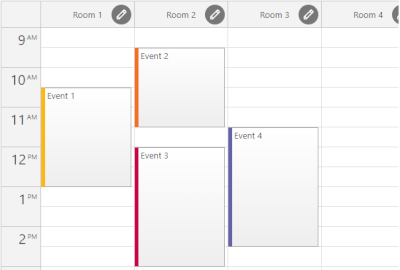 Resource Calendar
A vertical timeline that shows resources as columns.
LITE
PRO
Resource Calendar
A vertical timeline that shows resources as columns.
LITE
PRO
- Drag-and-drop
- CSS themes
- Snap to grid
- Event icons
- Custom event content and styling
- Localization
- All Lite features
- Drag-and-drop column moving and resizing
- Column hierarchy
- Column filtering
- Column header height auto-fit
- Custom timescale
- Progressive rendering
- PDF export
- Image export
- Bubble popover
- Zoom
- Undo/redo
- Disabled cells
- Holidays
- Touch devices
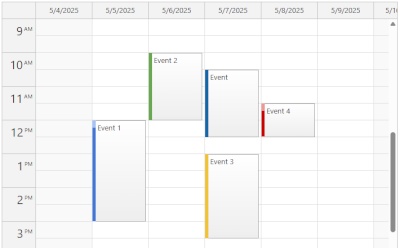 Daily / Weekly Calendar
An interactive day & week view with drag-and-drop and customizable cell duration.
LITE
PRO
Daily / Weekly Calendar
An interactive day & week view with drag-and-drop and customizable cell duration.
LITE
PRO
- Customizable cell duration
- Drag-and-drop
- Snap to grid
- Customizable event, cell, and header content
- Event icons
- Custom event drag handles
- Localization
- Configurable number of days
- Context menu
- Business hours
- Holidays
- Undo/redo
- CSS themes
- TypeScript
- All Lite features
- Progressive rendering
- High number columns with fixed width
- All-day events
- Touch devices
- Bubble popover
- Zoom
- Disabled cells
- Column header height auto-fit
- Inline editing
- JSX in events, cells and headers
- Image export
- PDF export
- RTL support
- AutoScroll
- Crosshair
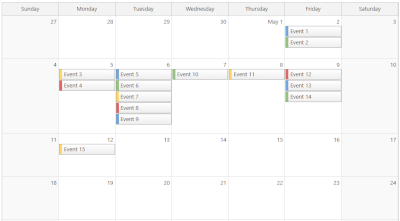 Monthly Calendar
A month grid that displays days as cells.
LITE
PRO
Monthly Calendar
A month grid that displays days as cells.
LITE
PRO
- Customizable cell duration
- Events spanning multiple days
- Drag-and-drop event moving and resizing
- Snap to grid
- Event icons
- Adjustable event height
- Customizable event content and CSS
- Built-in or custom delete icons
- Localization
- Context menu
- Event tooltip
- Business days
- Holidays
- CSS themes
- TypeScript
- All Lite features
- Touch devices
- Bubble popover
- Undo/redo
- Disabled cells
- Inline editing
- JSX in events and cells
- Image export
- PDF export
- RTL support
- AutoScroll
- Custom event drag handles
- Full month or specified number of weeks
- Maximum number of events per cell
- Cell stacking mode
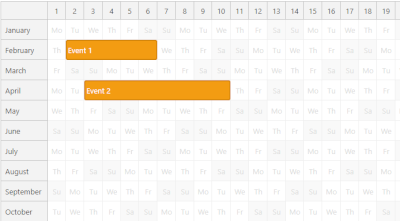 Yearly Calendar
A yearly calendar that shows months as rows.
PRO
Yearly Calendar
A yearly calendar that shows months as rows.
PRO
- Drag-and-drop
- Event spanning multiple days or months
- CSS themes
- Snap to grid
- Event icons
- Custom event drag handles
- Touch devices
- Localization
- Progressive rendering
- Fixed or automatic column width
- PDF export
- Image export
- Bubble popover
- Zoom
- Undo/redo
- Disabled cells
- Holidays
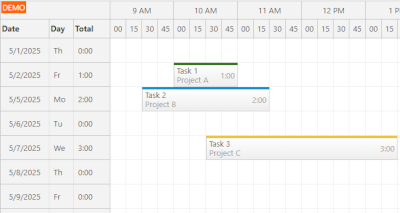 Timesheet
A timesheet view with one day per row and up to 24 hours on the horizonal axis.
PRO
Timesheet
A timesheet view with one day per row and up to 24 hours on the horizonal axis.
PRO
Horizontal timeline tailored for employee hours, project billing and utilization tracking.
- Drag-and-drop
- CSS themes
- Snap to grid
- Event icons
- Custom event drag handles
- Touch devices
- Localization
- Progressive rendering
- PDF export
- Image export
- Excel export
- Bubble popover
- Zoom
- Undo/redo
- Disabled cells
- Holidays
- Hiding non-business hours
- Row header width auto-fit
- Keyboard navigation
- Inline editing
- JSX in event, cells and headers
- Crosshair
- Row header columns
- TypeScript
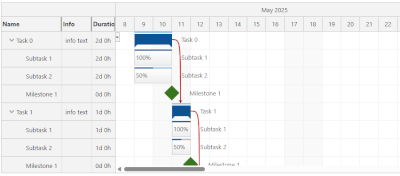 Gantt Chart
A project timeline with tasks, links, and milestones.
PRO
Gantt Chart
A project timeline with tasks, links, and milestones.
PRO
Project timeline with tasks, links, milestones, and drag-and-drop support.
- Drag-and-drop
- CSS themes
- Snap to grid
- Task icons
- Milestones
- Task groups
- Touch devices
- Localization
- Progressive rendering
- PDF export
- Image export
- Excel export
- Bubble popover
- Disabled cells
- Drag and drop between two Gantt charts
- Zoom
- Undo/redo
- Holidays
- Hiding non-business hours
- Row header width auto-fit
- Inline editing
- JSX in tasks, cells and headers
- Crosshair
- Task header columns
- Task dependency highlighting using links (Start-to-Start, Start-to-Finish, Finish-to-Start, Finish-to-Finish)
- Task progress bar
- Large data sets
- Non-linear timeline
- Context menu
- Custom time scale (minutes, hours, days, weeks, months, years)
- Customizable task content (HTML, active areas)
- TypeScript
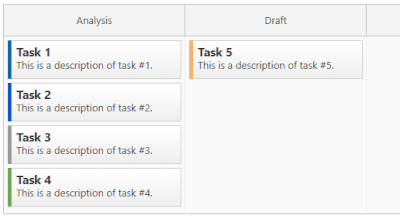 Kanban Board
A column-based task board with optional horizontal swim-lanes.
PRO
Kanban Board
A column-based task board with optional horizontal swim-lanes.
PRO
- Drag-and-drop
- CSS themes
- Snap to grid
- Card icons
- Touch devices
- Localization
- Progressive rendering
- Row header columns
- Large number of columns with fixed width
- Bubble popover
- Row header width auto-fit
- Keyboard navigation
- Inline editing
- JSX in cards, cells and headers
- Crosshair
- Card swim-lanes
- Card customization (HTML, icons, active areas)
- Context menu
- Bubble popover
- Card color-coding
- TypeScript
- External drag and drop
- Drag and drop swimlane moving
Trusted By
We helped thousands of customers create modern, beautiful scheduling applications that are used by millions of users.



















Build & customize
Configure your next view
Generate a starting point and make it your own.
Start with source code
Selected open-source tutorials
Working examples with source code for Angular.

Calendar with Day, Week, and Month Views
Angular project that displays an event calendar component with day, week and month views that share the same data and can be easily switched. A date picker component is used to switch the current date and highlight busy days.
.png)
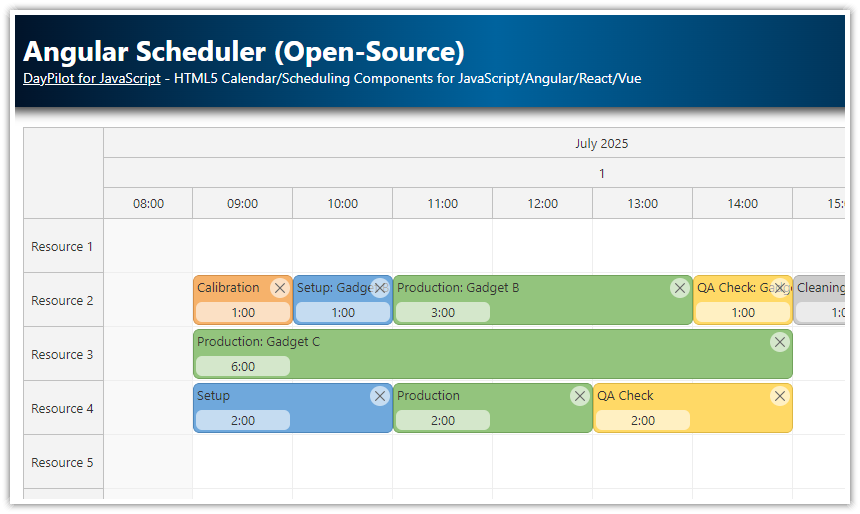
Scheduler with Horizontal Timeline
Plan and visualize your resources in Angular with this lightweight, Apache‑licensed Scheduler - with a horizontal timeline, multi‑row time headers, CSS themes, dynamic event content and large‑dataset performance.

Resource Calendar Tutorial
Angular application that shows how to create a resource calendar Angular component that displays event data in multiple columns. The resource calendar supports drag and drop out of the box.

Calendar with Undo/Redo
This tutorial shows how to implement undo/redo functionality the for the open-source Angular Calendar component.

Calendar with CSS Themes
Angular application that shows how to apply a custom CSS theme to the calendar component and change it on the fly.
Go further
Selected advanced tutorials
Examples of more demanding scheduling scenarios.

Scheduler with Event Phases
Angular project that shows how to display events split into phases in the Scheduler component.

Scheduler with Event Filtering
Angular application with a Scheduler component that can filter events in real time (by text, category, duration).

Scheduler with Drag-and-Drop Task Queue
How to implement an ordered queue of unscheduled tasks that can be dragged to the Angular Scheduler component.
.png)
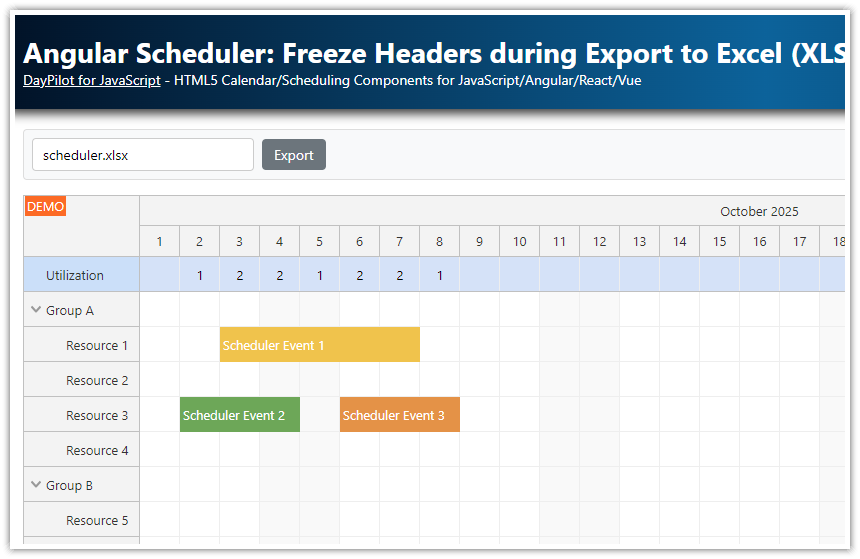
Scheduler - Freeze Headers during Export to Excel (XLSX)
How to export the Scheduler view to Angular, including frozen time headers (X axis) and row headers (Y axis). Add a custom row with utilization summary to the frozen headers.

Scheduler with Resource Utilization Chart
How to calculate resource utilization for time slots and show a bar chart in a fixed row displayed at the top of the Angular Scheduler component.

Scheduler - How to Disable Time Slots
How to disable selected time slots of the Angular Scheduler using drag and drop.

Scheduler with Infinite Scrolling
How to enable infinite scrolling for the Angular Scheduler component. Includes configuration hints and tweaks that improve Scheduler responsiveness and user experience.

Annual Leave Scheduling Application (ASP.NET Core Backend)
Build an Angular annual leave scheduling application with REST backend created using ASP.NET Core and Entity Framework.

Work Order Scheduling (PHP/MySQL)
Angular web application that lets you assign and schedule work orders using drag and drop. Built using DayPilot Scheduler Angular component. Includes a REST backend implemented in PHP/MySQL.

Scheduler UI with Spring Boot Backend (Java)
Angular project that shows how to create Scheduler UI using DayPilot Pro for Angular. Includes a backend REST/JSON application implemented using Spring Boot (Java).
These are selected examples. Browse all Angular tutorials →