|
|
Try the online demo:
AJAX-style event creating, moving, resizing, and deleting
Context menu
Day view
Work week view
Week view
Month view
Horizontal/vertical resources view
PostBack/AJAX/JavaScript event handling
Binding to XmlDataSource, SqlDataSource, DataTable, ArrayList
Custom event formatting
UpdatePanel compatibility
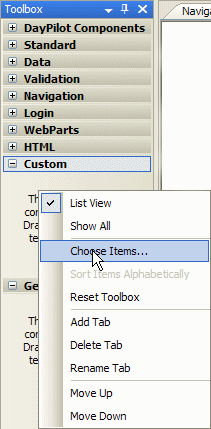
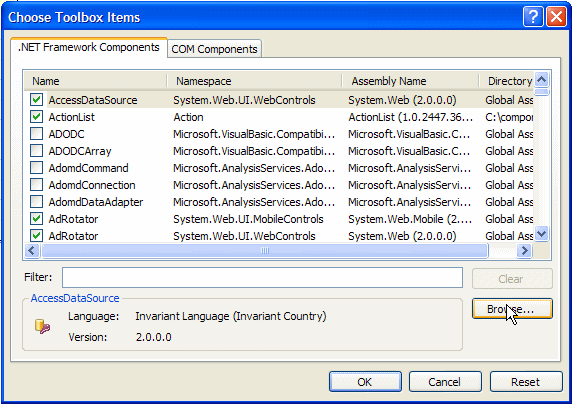
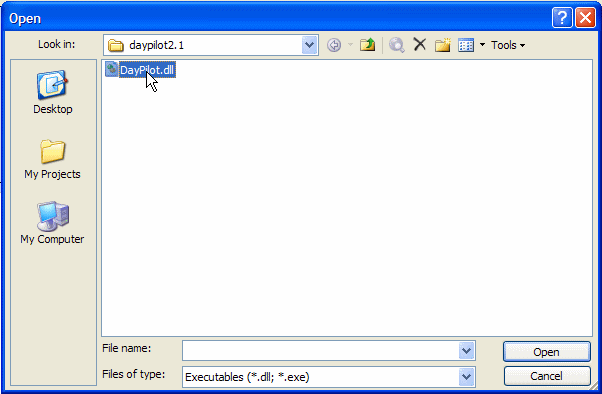
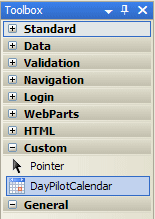
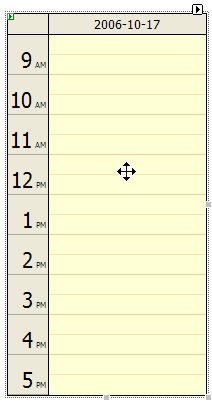
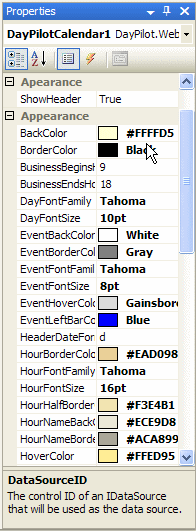
1. InstallationYou don't need to install anything to start using the DayPilot component . Just reference the assembly in your project and go on. However, it's also possible to add the DayPilot to yout Visual Studio 2005 Toolbox so you drag the component onto your web form and set the properties visually. Adding the component to the Visual Studio 2005 Toolbox: 1. Right-click the toolbox and select "Choose Items...". 2. In the "Choose Toolbox Items" dialog click "Browse...". 2. Find the DayPilot assembly and click OK. 3. Close the "Choose Toolbox Items" dialog by clicking "OK" and you will see the DayPilot icon in the toolbox: 4. Now you can drag the icon to your WebForm and you will see the DayPilot object: 5. You can set the DayPilot properties in the "Properties" window: DayPilot Pro is an advanced DayPilot edition. You can check a thumbnail overview of the most interesting features. There is also an online demo with all the features working (including the AJAX features). If you want to test the design-time support and API you can download a fully functional trial version. And if you like it, you can buy a full version with source code and 12 months of upgrades and support (with a 30-days money back guarantee). DayPilot Lite is a do-it-yourself open-source edition of DayPilot. Although it misses some DayPilot Pro features, there are thousands of developers using it to build calendar, personal scheduling, and resource booking applications. |