Released on December 1, 2009 (build 1956).
(F) Automatic Event Reloading (AutoRefresh) for DayPilot Scheduler
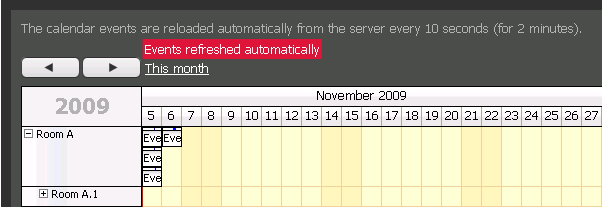
DayPilot Scheduler now allows automatic event reloading (in specified intervals).
See also:
(F) PNG Export for DayPilot Month
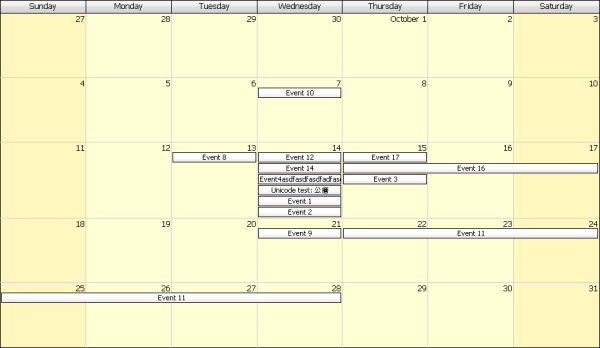
DayPilot Month control now supports PNG/JPG/GIF export (and printing, indirectly) just like in Calendar and Scheduler.
See also:
(F) Dynamic Event Loading for DayPilot Scheduler
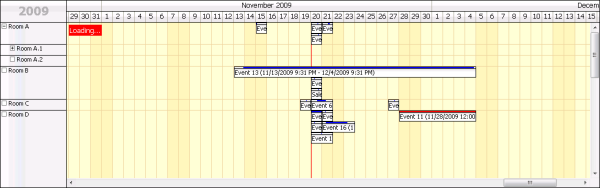
DayPilot Scheduler supports dynamic event loading from the server (during scrolling).
See also:
(F) Dynamic Scheduler is Obsolete
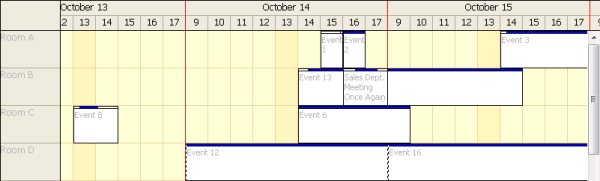
The Dynamic Scheduler control was introduced in DayPilot Pro 4.4 with three main advantages over the classic Scheduler:
- Window content is loaded dynamically from the server (during scrolling)
- Non-business hours and days can be hidden
- Vertical scrollbar
All these features are now available in the Scheduler as well.
The Dynamic Scheduler was missing several important features of the Scheduler (concurrent event stacking, resource tree, multiple columns in resource header, etc.). The Dynamic Scheduler will no longer be improved and the control will be removed in one of the future releases.
(F) Transparent Event Move/Resize Indicator for DayPilot Month
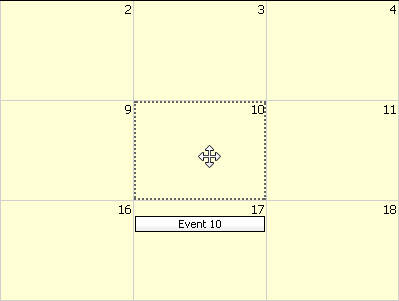
Old style (Shadow="Outline")
New style (Shadow="Fill")
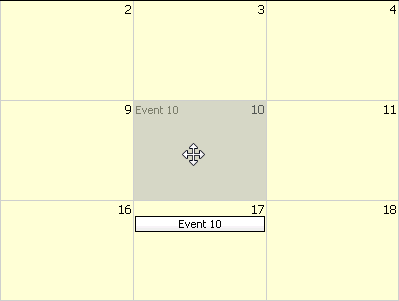
This release introduces a new event move/resize indicator ("shadow") for DayPilot Month, compatible with the indicators available for the Calendar and Scheduler controls.
See also:
Status: Implemented
(F) Scheduler: Full Width PNG Export (Printing)
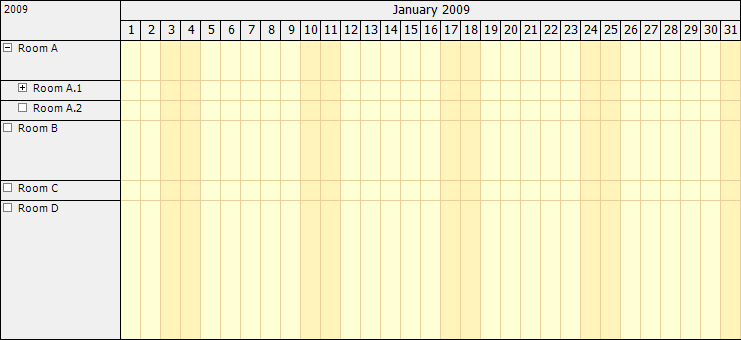
The full width of the image exported from the DayPilot Scheduler is now calculated automatically if you use Width="100%".
See also:
(F) Scheduler: Week Numbers for CellDuration="10800"

Column headers now show week numbers instead of the first day date number when showing one week per cell (CellDuration="10800") in DayPilot Scheduler.
See also:
(F) Custom Event Sorting (Calendar and Month)
It is now possible to use custom event sorting in DayPilot Month in Row Stacking Mode:
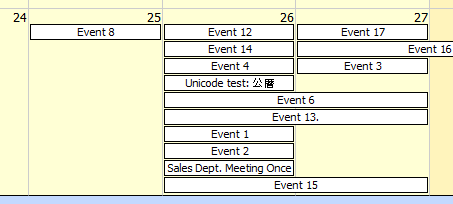
And in the DayPilot Calendar:
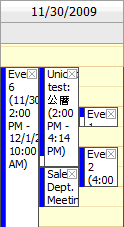
The sorting order can be specified using EventSortExpression property.
See also:
(F) Static Bubble for DayPilot Scheduler
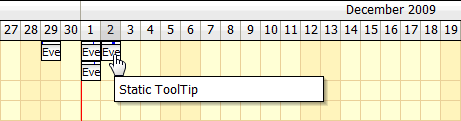
It's possible to specify the Bubble HTML content statically in BeforeEventRender event (and prevent dynamic AJAX call on popup).
    protected void DayPilotScheduler1_BeforeEventRender(object sender, BeforeEventRenderEventArgs e)
    {
        if (e.Value == "3")
        {
            e.StaticBubbleHTML = "Static ToolTip";
        }
    }
Bug Fixes
- Bug: BeforeCellRender/colors not respecting DayBeginsHour.
- Bug: HeaderClick fixed.
- Bug: Event font color is applied correctly during Image Export.
- Bug: DayBeginsHour is not respected during Image Export.
- Bug (C-2309): Event height fixed for UseEventBoxes="ShortEventsOnly".
- Bug: Width other than 100% not working.
- Bug (C-2235): Event resizing to the very right fixed.
- Bug: DayBeginsHour was not working in Resources view.
- Bug (F-866): Broken Cell Bubble (Unable to parse DateTime: 'NaN-NaN-NaNTNaN:NaN:NaN' JavaScript error).
- Bug (C-2470): Events starting exactly on day start were not resizable (not-allowed cursor).
- Bug (C-2467): afterRender client-side event is now fired after initial page load as well.
- Bug (F-907): Incorrent inline edit box font in Chrome.
- Improvement (F-876): Separators are updated after full update on the client side.
- Bug (C-2345): Right-clicking a cell throws a JS error (start is null or not an object).
- Bug (C-2410): Context menu specified in BeforeEventRender was not working when global context menu (ContextMenuID) was not specified.
- Bug: Zero-length events are showing in an event box properly.
- Improvement: New mechanism for initial rendering, preventing multiple load calls and occasional blank screens.
- Bug (F-874): VisibleStart and VisibleEnd returned incorrect value in some cases.