Release date: June 10, 2009 (build 1808)
Features
(F) Scheduler Export (PNG, BMP, GIF, JPG)
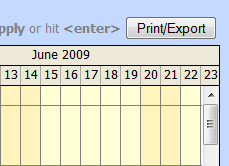
DayPilot Scheduler control snapshot can be exported to common image formats (BMP, PNG, GIF, JPG).
Documentation:
Status: Implemented
(F) Custom First Day of Week (WeekStarts)
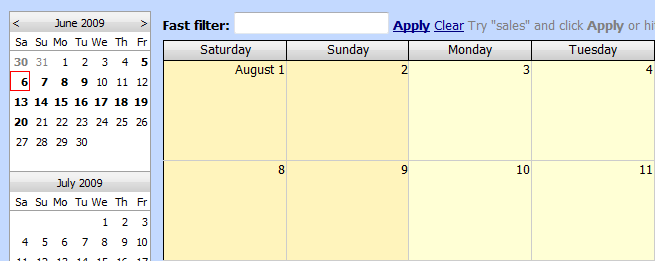
All days of week are now supported in WeekStarts property (Scheduler, Month, Dynamic Scheduler, Navigator).
Documentation:
See Also:
Status: Implemented
(F) Event double click event for DayPilot Scheduler
It's possible to hook double click event, in addition to the existing click-related events:
- EventClick
- EventRightClick
Supported handling types (EventDoubleClickHandling property):
- Disabled (default)
- CallBack
- PostBack
- Edit
- JavaScript
If you choose CallBack or PostBack handling, the server-side EventDoubleClick event will be fired.
Status: Implemented
(F) Specific Rendering Events in DayPilot Bubble
Prior to this release, DayPilot Bubble control had only one rendering event (RenderContent) which was called for all sources (events, cells, headers). It was necessary to cast the RenderEventArgs parameter to a specific type.
Example:
protected void DayPilotBubble1_RenderContent(object sender, RenderEventArgs e)
{
if (e is RenderEventBubbleEventArgs)
{
re.InnerHTML = "<b>Event details</b><br />Here is the right place to show details about the event with ID: " + re.Value + ".";
}
else if (e is RenderTimeBubbleEventArgs)
{
RenderTimeBubbleEventArgs re = e as RenderTimeBubbleEventArgs;
e.InnerHTML = "<b>Time header details</b><br />From:" + re.Start + "<br />To: " + re.End;
}
else if (e is RenderCellBubbleEventArgs)
{
RenderCellBubbleEventArgs re = e as RenderCellBubbleEventArgs;
e.InnerHTML = "<b>Cell details</b><br />Column:" + re.ResourceId + "<br />From:" + re.Start + "<br />To: " + re.End;
}
}
Now there are four new events that replace the RenderContent event:
- RenderCellBubble
- RenderEventBubble
- RenderTimeBubble
- RenderResourceBubble
EventArgs casting is no longer necessary, since each event handler already provides the correct EventArgs type.
Status: Implemented
(F) Full Event Details available to DayPilot Bubble
The RenderEventBubbleEventArgs class (event arguments for RenderEventBubble event of DayPilot Bubble control) now holds full information about the source event:
- Value
- Start
- End
- Text
- ResourceId
- IsAllDay
- Tag
In the previous versions, only Value was available and it was necessary to load the details from the original data source.
Status: Implemented