See also the feature matrix.
ASP.NET Scheduler
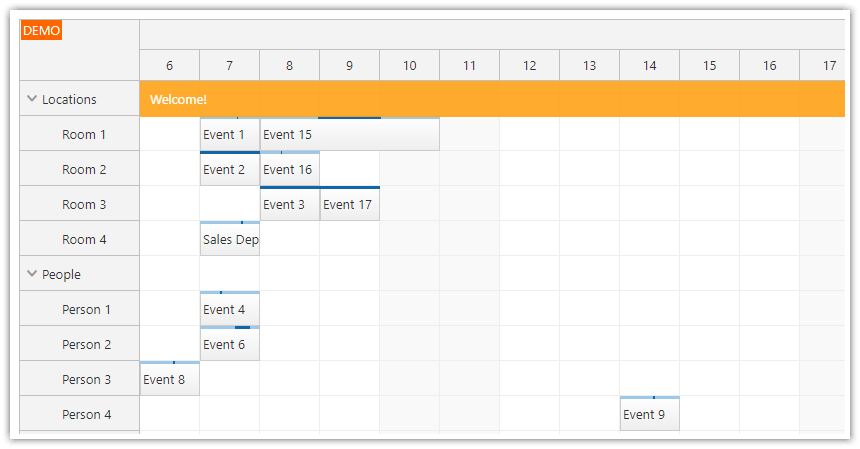
The ASP.NET scheduler control displays a timeline for multiple resources.
- Drag and drop operations (event creating, moving, and resizing), including drag and drop from external lists ("unscheduled events/tasks")
- Full CSS support
- Built-in themes
- Common UI tasks (event editing, deleting, selecting, context menu, hover details, copy and paste, creating, moving, resizing)
- Built-in controls for better user experience (integrated message bar, event status icons, inline event action hints, crosshair highlighting the current position)
- Mobile/touch devices support
- Resource groups arranged in a tree hierarchy
- Resource header columns (resource summary, status, additional details)
- Flexible timeline (scale ranging from minute to year, non-continuous timeline, non-linear timeline)
- Time header groups (hours, day, weeks, months, years)
- Large data sets support (10,000+ events): on-demand loading, progressive rendering
- Industry-specific tutorials (hotel, restaurant, timesheet)
- Internationalization (all text customizable, date/time formats, culture auto-detection, other than Gregorian calendars)
- Grid cell customization (HTML, color, hover events)
ASP.NET Event Calendar (Day/Week/Resources as Columns)
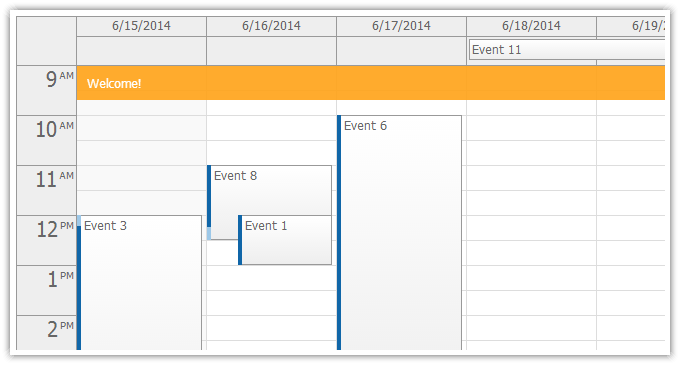
The ASP.NET event calendar control displays a traditional day/week/work week view (known from Outlook and Google Calendar) and a number of special views.
- Full drag and drop support (event creating, moving, resizing)
- Hover actions (delete icon, info icon, hover bubble with event details)
- Timetable (displays special blocks instead of hours on the Y axis)
- Overnight shifts (days starting later than at 12 am that continue to the following day; useful for shift scheduling, TV program scheduler and similar views)
- Full CSS support
- Built-in themes (styled like Google Calendar, Outlook, and an online theme designer)
- Mobile/touch devices support (iOS, Android, Windows 8); customizable gestures (tap, tap and hold, drag and drop)
- Event arrangement modes for overlapping events (to save space in narrow columns)
- Fixed column width option (allows to display 20+ days horizontally)
- All-day events
- Integrated controls for improved user experience (integrated message bar, hover icons, crosshair)
- Internationalization (current culture auto-detection, localized date/time format, customizable texts, RTL direction, custom first day of week)
- Resources view that allows to display resources instead of days on the X axis (an option to arrange resources in a tree hierarchy)
- Integrated support for business hours (highlighting business hours, auto-scrolling to the business hours start).
- Cell customization (set IsBusiness status, background color, custom HTML)
- Event customization (custom HTML, background color, duration bar color, allow/deny drag and drop operations, hover icons, context menu)
- Recurring events (built-in rule encoding system that requires a single varchar database field, support for custom encoding, recurrence rule editing dialog helper)
- Custom event creating/editing modal dialogs
ASP.NET Monthly Calendar (One Week per Row)
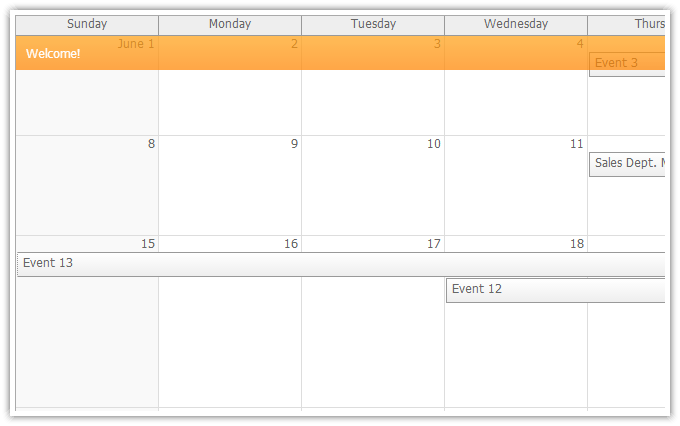
The ASP.NET monthly calendar control displays a traditional month view (known from Outlook and Google Calendar) and similar views based on one-week-per-row layout.
- Drag and drop (event creating, moving, resizing)
- Themes (selection of built-in themes, an online theme builder that let's you create a CSS theme that matches your palette)
- Integrated UI controls for better user experience (message bar, hover details, context menu)
- Mobile/touch devices support (iPad, iPhone, Android)
- Common UI tasks (event creating, deleting)
ASP.NET Gantt
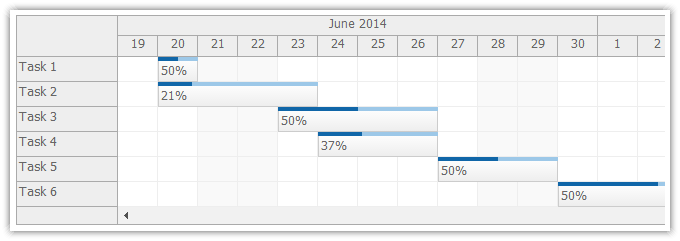
The ASP.NET Gantt control displays a scheduler/timeline view with one task/event per row.
- Based on the ASP.NET scheduler control
- Task drag and drop (moving, resizing, creating)
- Percent complete support (using the integrated bar at the top of the task box)
- Touch/mobile devices supports (iPad, iOS, Android)
- Themes
- Full CSS support (all elements can be styled using CSS)
- Customizable timeline (minute, hour, day, week, month, year scale, non-linear timeline displaying the first part on day level and the future outlook in month level)
- Multiple columns with additional details (duration, assigned person, percent complete)